English
Lightspeed Integration Settings
To ensure ORDERMONKEY and Lightspeed are connected correctly, a few settings must be configured directly in Lightspeed after completing the connection in the ORDERMONKEY back office.
Please follow the steps below carefully.
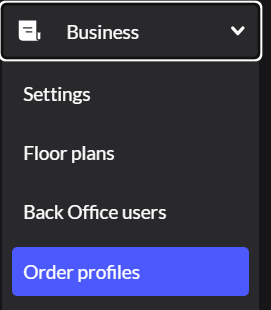
Step 1: Navigate to Order Profiles
- Log in to Lightspeed.
- In the left-side menu, click on “Business”.
- Then select “Order Profiles”.
Step 2: Create Two New Order Profiles
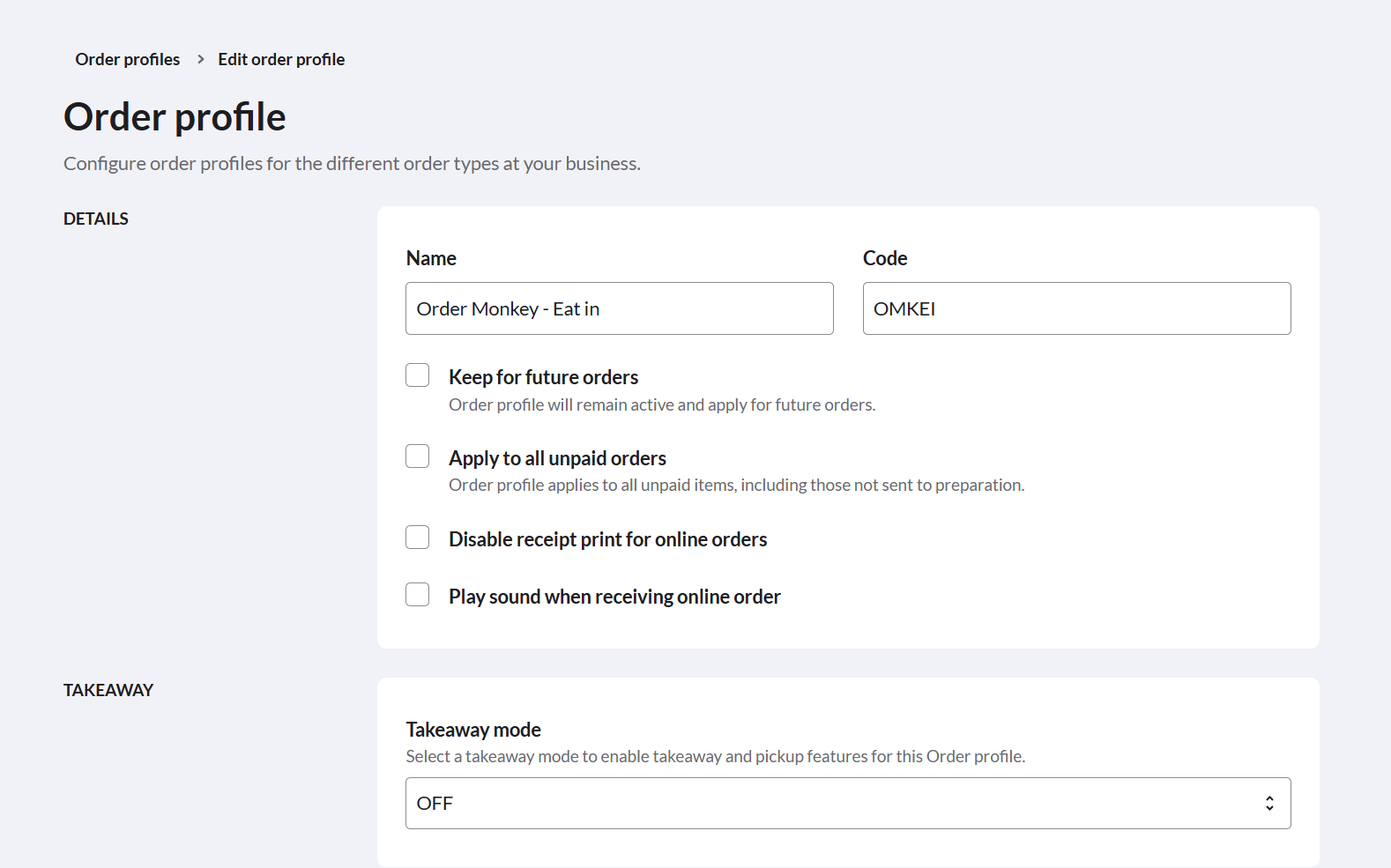
Click on “New Order Profile” and create the following profiles:
First Profile
- Name: ORDERMONKEY – Dine In
- Code: OMKEI
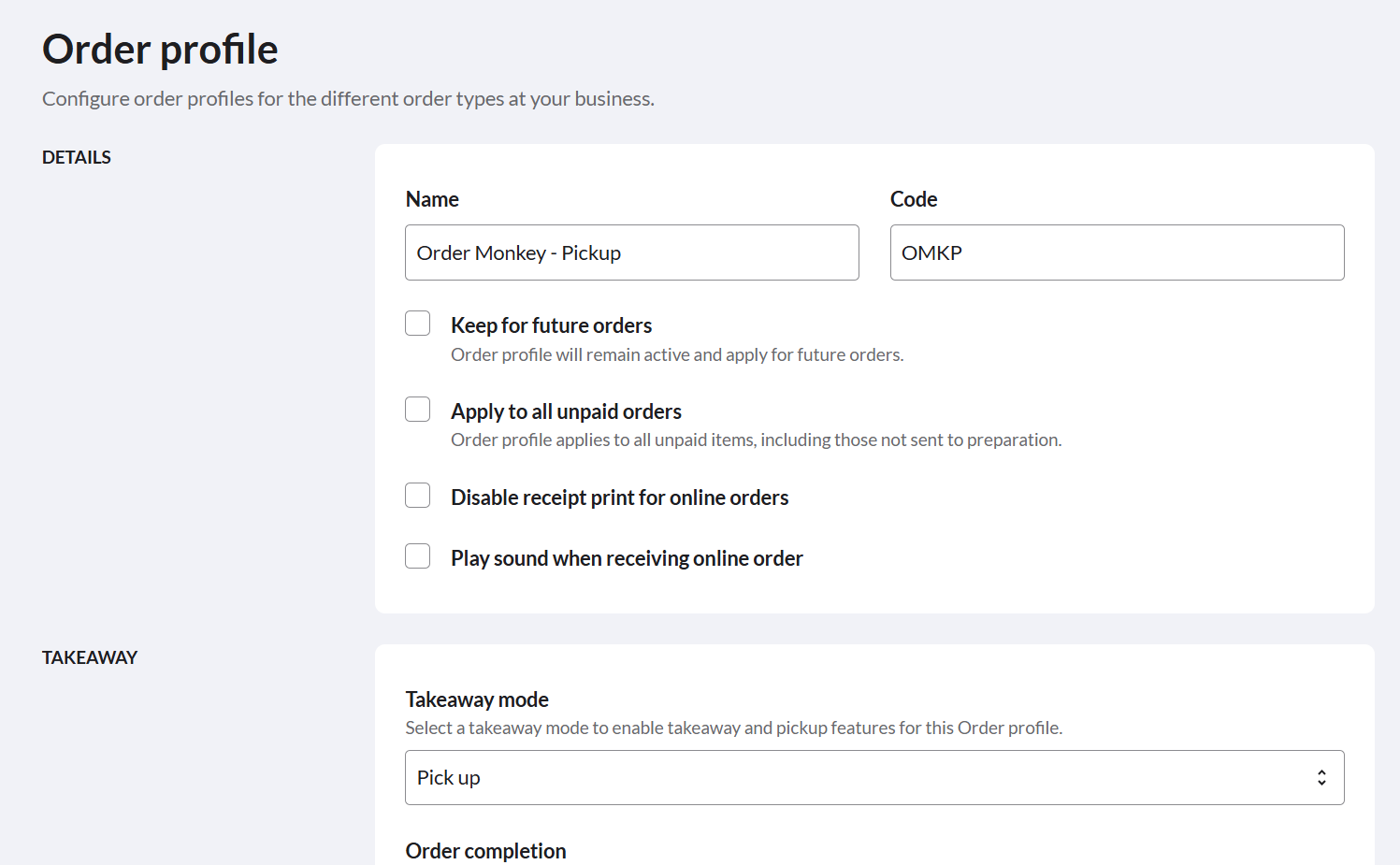
Second Profile
- Name: ORDERMONKEY – Pick Up
- Code: OMKP
Important
- Make sure the Takeaway Mode is set to “Pickup”.
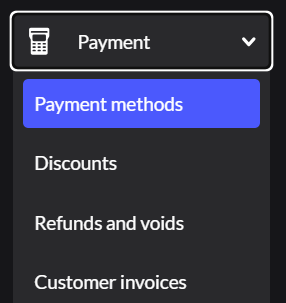
Step 3: Add a New Payment Method
- In the left-side menu, click on “Payments”.
- Then open “Payment Methods”.
- Click on “Add Payment Method”.
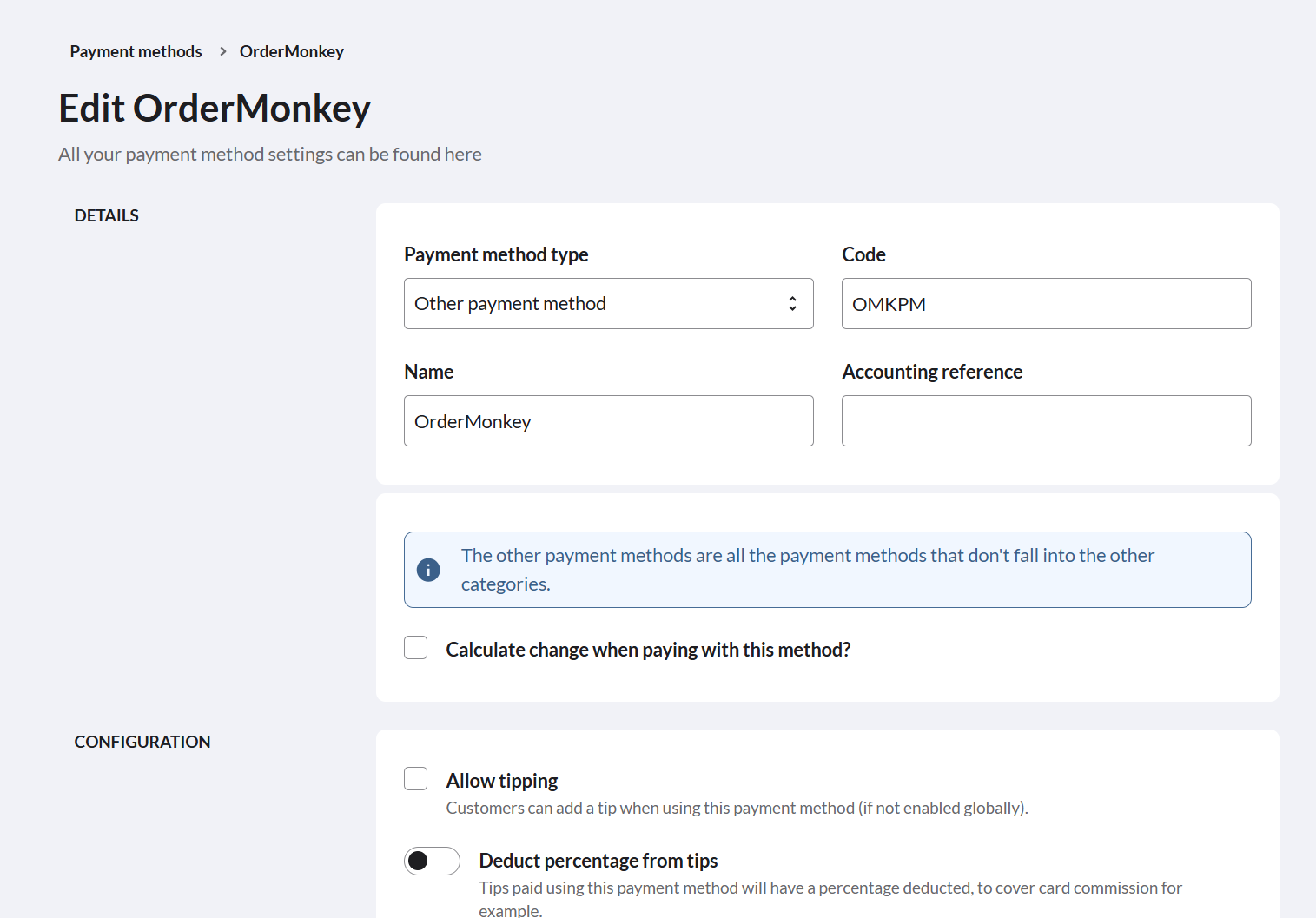
- Select “Other Payment Method” as the type.
Enter the following details
- Code: OMKPM
- Name: ORDERMONKEY
Deutsch
Einstellungen für die Lightspeed-Integration
Damit ORDERMONKEY und Lightspeed korrekt miteinander verbunden sind, müssen nach der Verknüpfung im ORDERMONKEY Backoffice noch einige Einstellungen direkt in Lightspeed vorgenommen werden.
Bitte folge den untenstehenden Schritten genau.
Schritt 1: Zu den Bestellprofilen navigieren
- Melde dich in Lightspeed an.
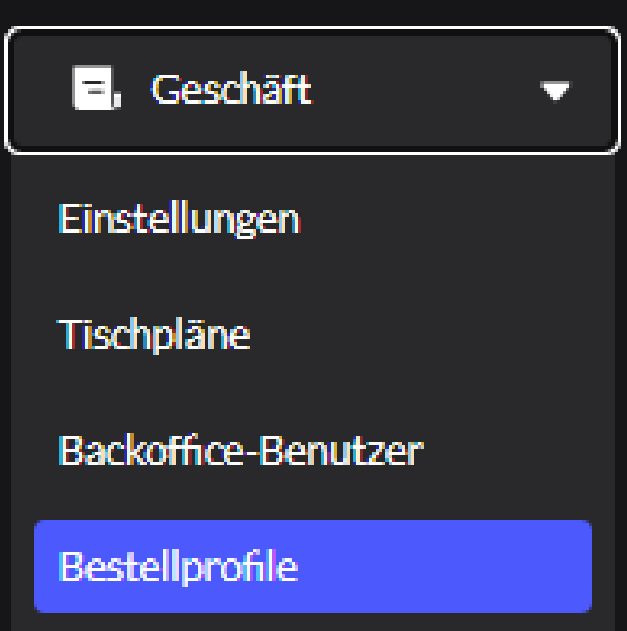
- Klicke im linken Menü auf „Geschäft“.
- Wähle anschliessend „Bestellprofile“ aus.
Schritt 2: Zwei neue Bestellprofile erstellen
Klicke auf „Neues Bestellprofil“ und erstelle folgende Profile:
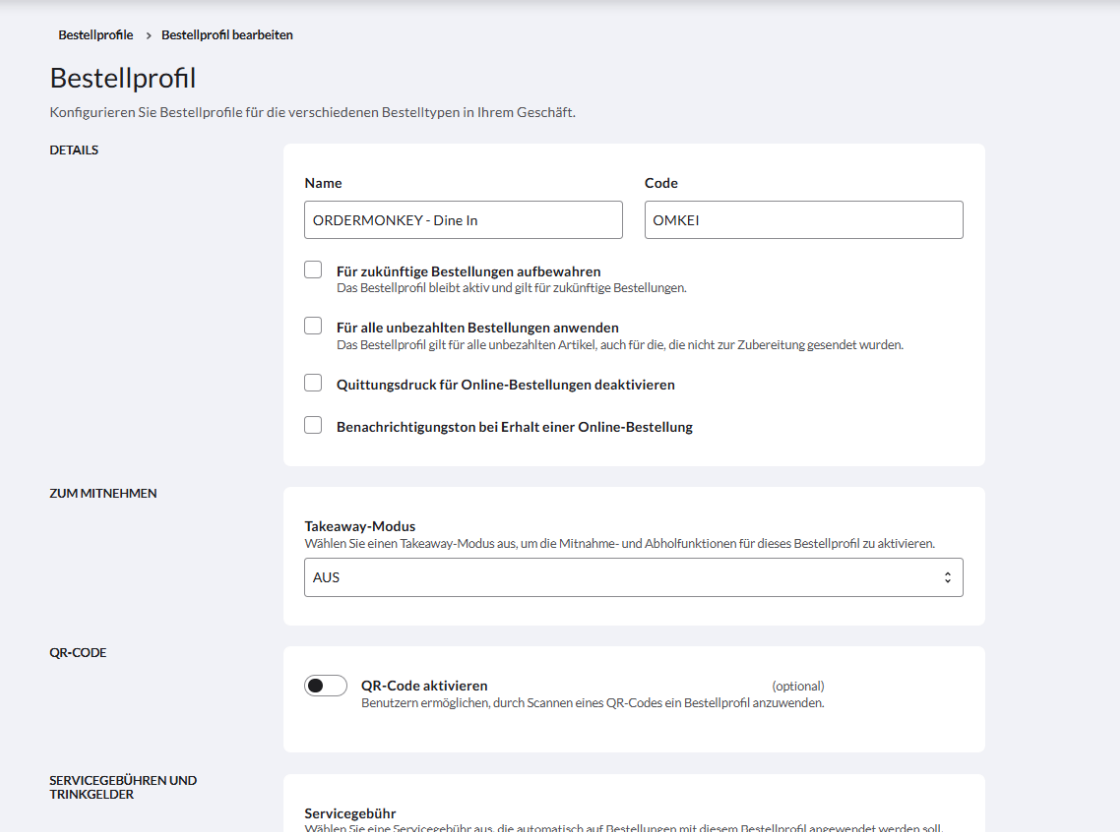
Erstes Profil
- Name: ORDERMONKEY – Dine In
- Code: OMKEI
Zweites Profil
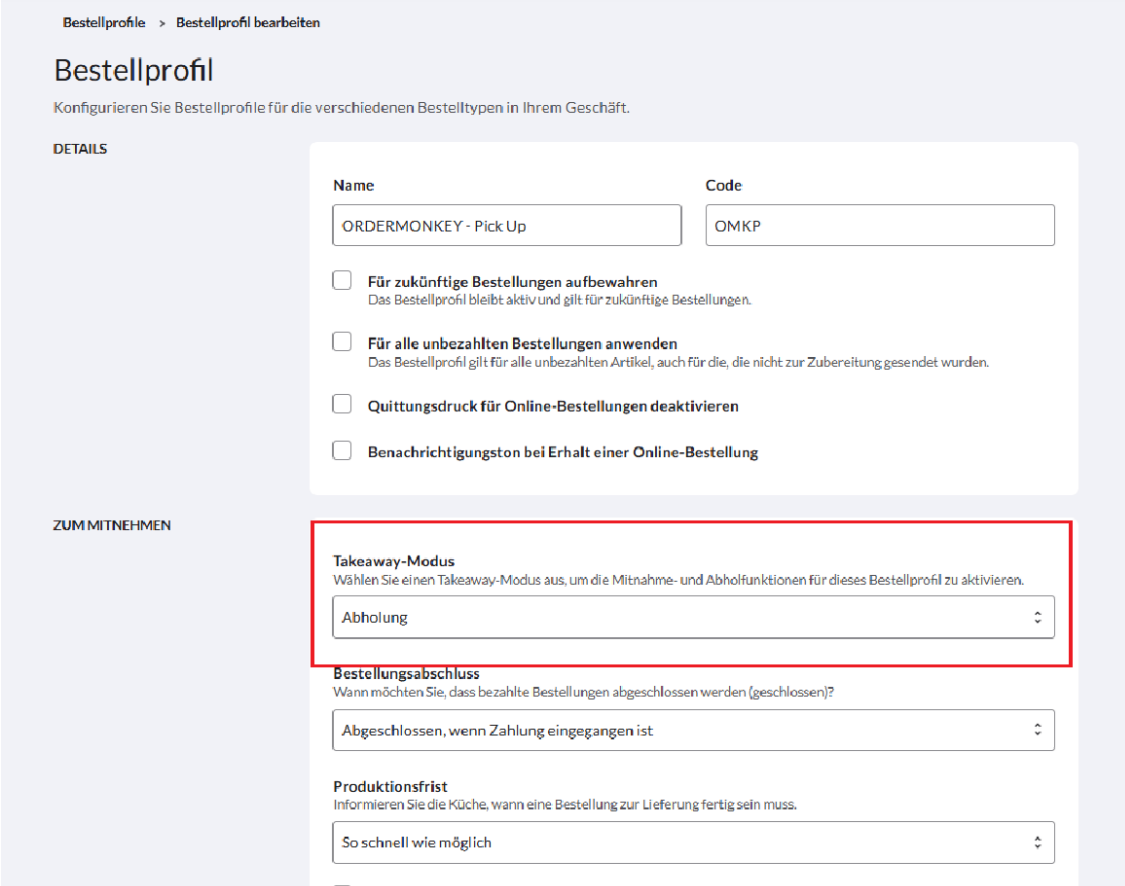
- Name: ORDERMONKEY – Pick Up
- Code: OMKP
Wichtig
- Stelle sicher, dass der Takeaway-Modus auf „Abholung“ gesetzt ist.
Schritt 3: Neue Zahlungsart hinzufügen
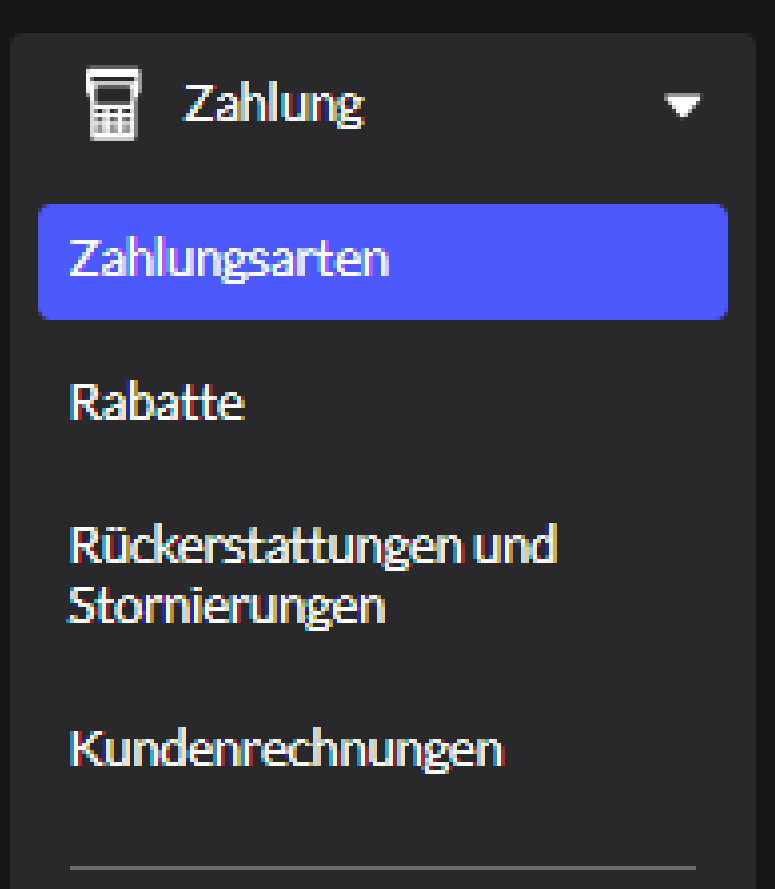
- Klicke im linken Menü auf „Zahlung“.
- Öffne danach „Zahlungsarten“.
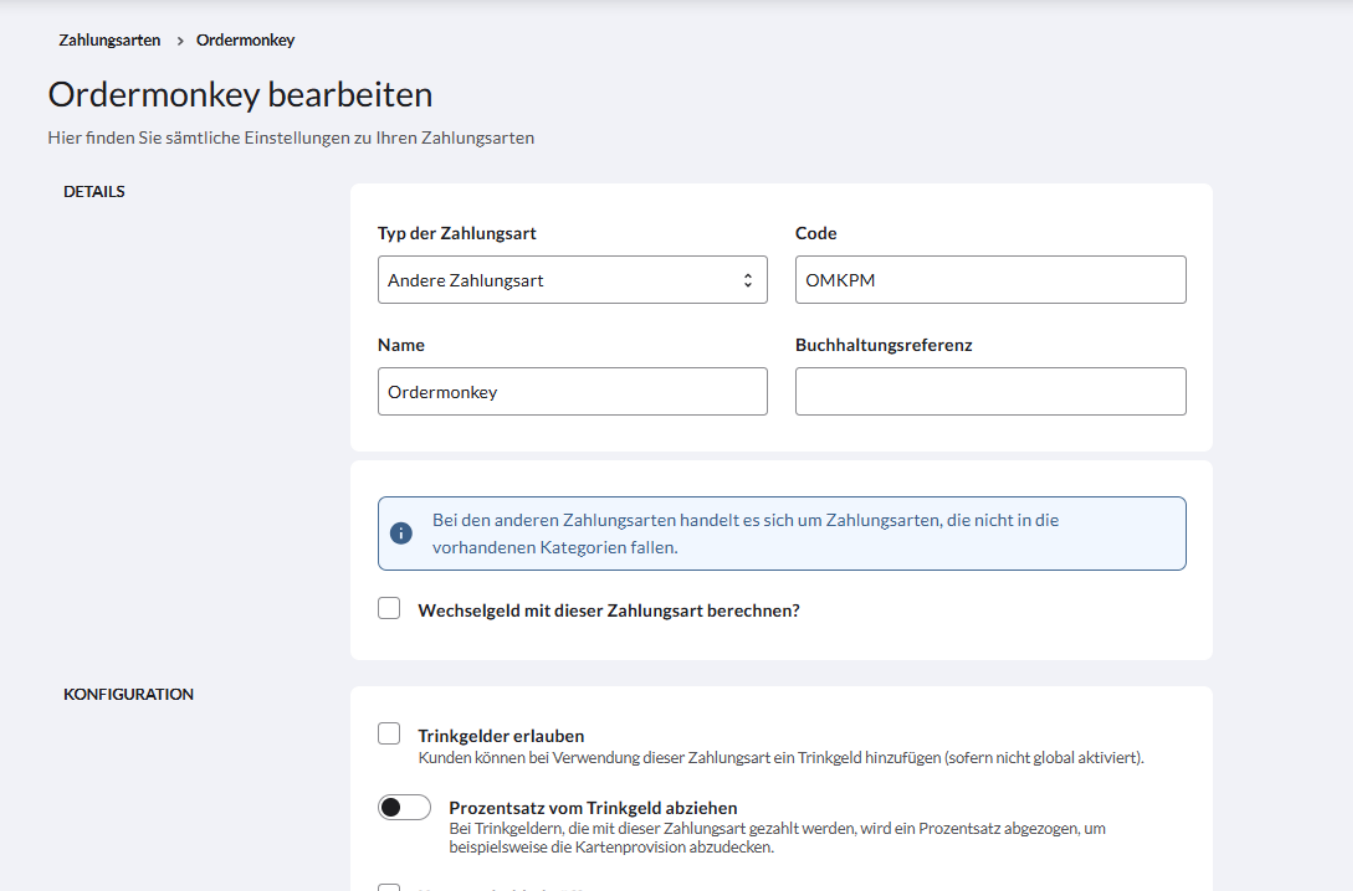
- Klicke auf „Zahlungsart hinzufügen“.
- Wähle als Typ „Andere Zahlungsart“ aus.
Folgende Angaben eintragen
- Code: OMKPM
- Name: ORDERMONKEY
Was this article helpful?
That’s Great!
Thank you for your feedback
Sorry! We couldn't be helpful
Thank you for your feedback
Feedback sent
We appreciate your effort and will try to fix the article